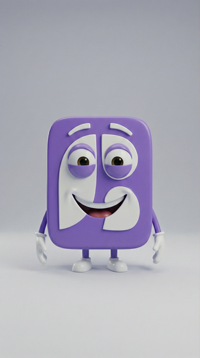
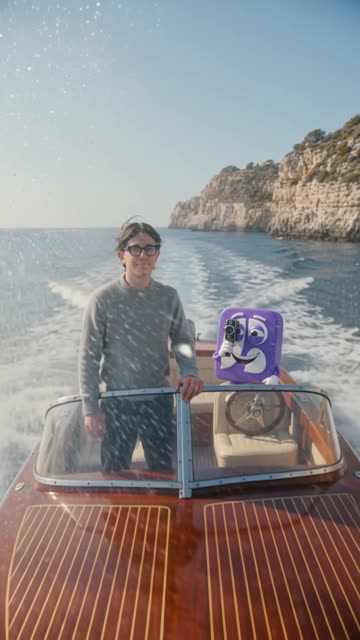
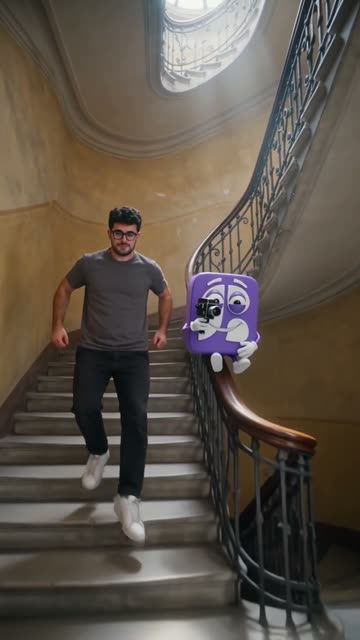
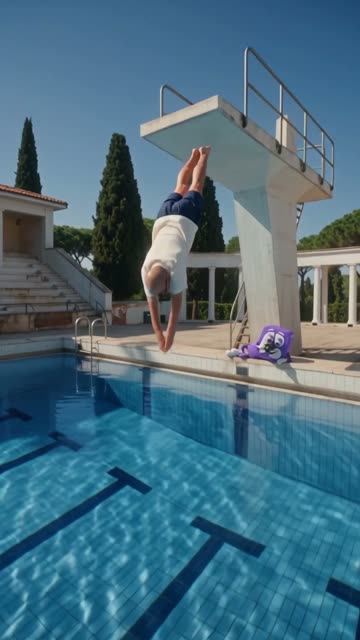
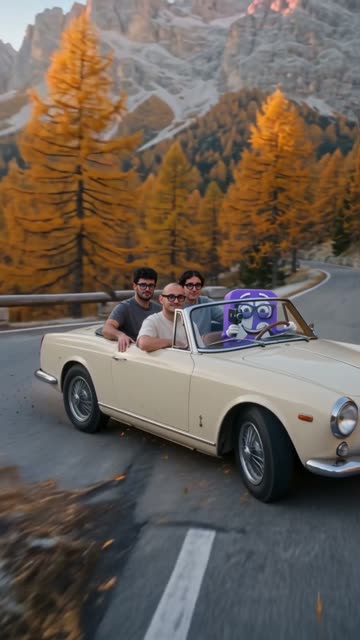
A 30-second launch spot: the three of us and the mascot in four places in Italy, like a commercial on film.
Bynor
Here's the concept: four 8-second scenes, one per place. I'm using your photos for your faces and for the mascot.
Launch spot4 scenes
0%
Sea in Sicily8 s
0%
Staircase in Milan8 s
0%
1930s dive8 s
0%
Dolomites by convertible8 s
32 s · 9:16 · 1080p160 credits Generated
Done. I've edited the four scenes into a single video.
Launch spot · 32 s
ScheduleDownload
Ask for what you need
Made with Bynor
Every scene in our spot was generated by Bynor.
Four scenes from our launch video, made from three photos and the mascot.
Sea in SicilyA vintage speedboat along the coast at sunset. The mascot drives and films Mattia.Staircase in MilanAlessio runs down the staircase of a historic palazzo. The mascot slides down the banister.1930s diveFrancesco dives off a concrete diving tower. The mascot films him from the edge.Dolomites by convertibleHairpin bends at dawn, all three of us in the car. At the end the mascot puts on the glasses.
What you can do
From your idea to a finished video.
01
Your photos
Your product, not a random one
Attach photos of your product, your store or your people: Bynor uses them as a reference in every scene. A real person only appears if you have their photo.
The photos you attach
MattiaAlessioFrancescoMascot
become
02
The scenes
See every scene before you spend
For each scene Bynor writes what happens and how long it lasts. You see the price in credits before you say yes, and if the video doesn't arrive in full, you get the credits back.
The concept
1 · Sea in SicilySpeedboat at sunset, camera following it
8 s
2 · Staircase in MilanRunning down the stairs, seen from above
8 s
3 · 1930s diveDiving tower at noon, slow motion
8 s
4 · Dolomites by convertibleHairpin bends at dawn, camera circling
8 s
Change a sceneGenerate · 160 credits
03
In your calendar
From the chat to your calendar
The video is ready to post right away. Schedule it on Instagram, TikTok, Facebook and YouTube without downloading and re-uploading it.
Monday 16 · 2 posts
12:30 · ReelInstagram, TikTok
18:00 · ShortYouTube
What you can ask
Just write it.
“A 20-second spot for the fall menu, with photos of the dishes”
“The promo reel, vertical, with the product always up front”
“An 8-second video of the store at dawn, for stories”
“The same video in landscape, for YouTube”
“Change the second scene: the camera should circle the product”
“Me opening the shutter, then the place full of people”
Questions
Before you try it.
How much does a video cost?
You pay in AI credits, by the second of video. Before generating, Bynor shows you the price, and it only starts with your yes. If the video doesn't arrive in full, you get the credits back.
How long does it take?
A few minutes. The scenes are generated at the same time, not one after the other, and Bynor edits them into a single video on its own.
Can I put myself or my product in it?
Yes, attach the photos in the chat. Bynor uses them as a reference in every scene. Without a photo of a person, the video won't show them: Bynor doesn't make up the faces of real people.
How long can a video be, and in what format?
From 4 seconds to just over a minute: each scene lasts 4, 6 or 8 seconds, and a video can have up to ten. You can have it vertical for reels, stories and TikTok, or landscape for YouTube and your website, up to 1080p.
Can I change a scene?
Yes, before generating: ask in the chat (“the third scene at sunset”, “the camera closer to the product”) and Bynor rewrites that scene of the concept.
The other features
Explore the whole system.
Bynor is one system, not a pile of tools. Every piece knows the others.